It is possible to repeat scaling for different combinations of
items included in the current word list. The resulting
three-dimensional configuration is automatically displayed in graphic form: the first two
reference axes appear as a horizontal plane on which labeled
points are projected corresponding to words in the text file
originally subject to analysis. The configuration can be rotated
and zoomed for closer examination, printed or saved for inclusion
in other documents. It is also possible to examine or edit the
file containing the configuration data on which the display is
based.
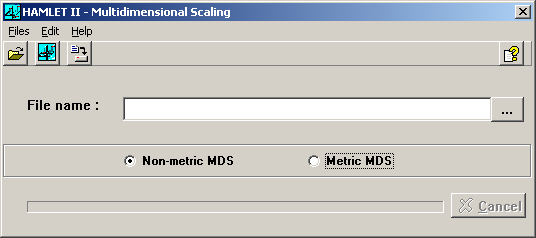
When called as an option following a joint frequencies analysis, HAMLET automatically supplies the file name containing the matrix to be scaled. Otherwise, you should enter the name of a matrix file or click on the Files menu and select Open file, or use the appropriate speed button, to search for it. From the Files menu, it is also possible to Reopen files recently used.
This window offers the choice between non-metric and metric scaling. When a valid file name is entered, the main vocabulary items available are displayed for the method selected. From the list displayed, you can select the vocabulary items to be included in the scaling process.
